

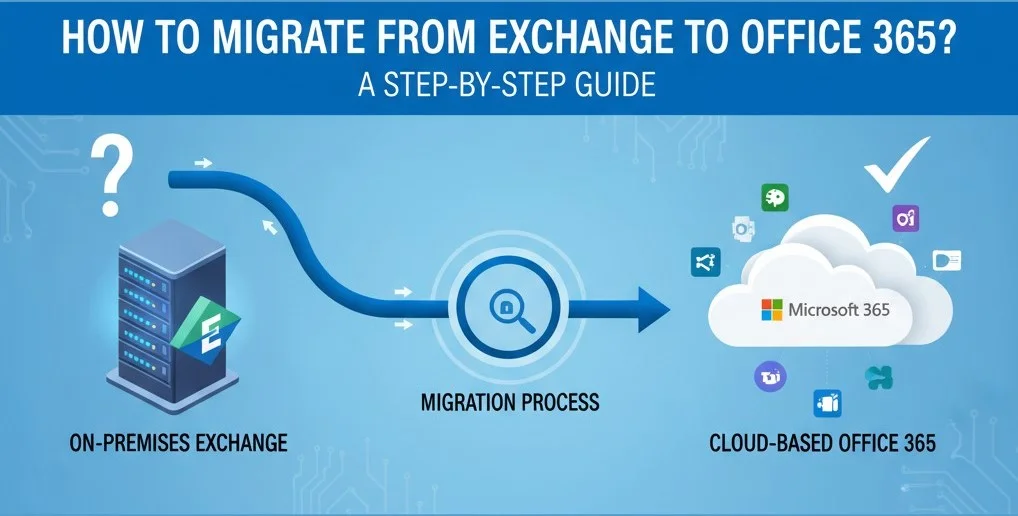

With Microsoft Exchange Server 2016 and 2019 reaching their end of life and support (on October 14, 2025), organizations have two choices – either move to Exchange Server Subscription Edition (the latest Exchange version launched on July 1, 2025) or migrate to Microsoft 365. This is because Microsoft will not provide any security updates, bug fixes, or tech support for Exchange Server 2016 and 2019, making them vulnerable to cyber-attacks and other threats.
Microsoft 365, formerly known as Office 365, is a cloud-based platform and is managed entirely by Microsoft. This effectively means that all the software upgrades are delivered by the company. The best part is that it is easily scalable without adding new hardware, which means less overhead cost. So, if you prefer cloud-based setup and want to move to Office 365, then read this post to know some effective methods of migrating from on-premises Exchange Server to Office 365.
Benefits of Moving to Office 365
Let’s explore some major benefits of migrating to Office 365 (Microsoft 365):
- With Office 365, you can minimize expenses on physical infrastructure and gain the capability of scaling up anytime you want. All you need to do is purchase the licenses for new users, without incurring much expenses on the hardware.
- Frequently updating the Office 365 is not required as it is updated automatically by Microsoft, introducing new features, security updates, and performance improvements. These updates happen in the background, when enabled.
- When you move to the Office 365 environment, you don’t have to worry about technical faults or disaster recovery as Microsoft experts are in charge of maintaining security and resolving technical errors if they arise.
Methods to Migrate from Exchange to Office 365
Primarily, there are three different methods to migrate to Office 365 from on-premises Exchange Server. You can choose the method based on your specific requirements.
1. Cutover Migration
Cutover migration method is considered one of the simplest methods to migrate from Exchange to Office 365 (Microsoft 365). This method is supported by Exchange 2003, 2007, 2010, and later versions, and is ideal when you want to move all the data to the cloud in one go. However, by using this migration method, you can migrate maximum of 2,000 mailboxes to Office 365. But, it is suggested to migrate only 150 mailboxes at a time. When using this method, follow these practices, depending on your business requirements:
- Take a decision if you want to move all the data.
- Keep stock of all the mailboxes, public folders, etc. and the ideal subscription assignments.
- Install the latest Exchange Server Cumulative Updates, Service Pack updates, and operating system updates, if any.
- Ensure that your existing on-premises Exchange is a verified domain on your Office 365 organization.
- Run the Best Practices Analyzer as this can help reduce violations of best practices.
- Properly plan the migration, including probable downtime.
2. Staged Migration
When you want to migrate the data to Microsoft 365 without hampering the workflow, staged migration is the way to go. As indicated from the name, in this type of migration, mailboxes and other items are migrated in two or more stages over a period of time. In the first stage, older or newer data is migrated so that the users can start using the Office 365 environment while the remaining data is migrated in later stages. This migration method is suitable for migrating from only on-premises Exchange 2003 or 2007 to Office 365 and if you’ve more than 2000 mailboxes. When using this method, consider the following:
- Synchronization of accounts between the on-premises Active Directory domain and Office 365 must be done for the staged migration to work.
- Primary domain name used for your on-premises Exchange organization must be a domain verified to your Microsoft 365 or Office 365 organization.
- Only user mailboxes and resource mailboxes can be migrated. Other resources, such as contacts, distribution groups, and mail-enabled users can be migrated via directory synchronization.
- Out of Office messages will not be migrated with user mailboxes.
3. Hybrid Migration
In the Hybrid deployment, on-premises Exchange Server and Office 365 can coexist to enable the migration of mailboxes from on-premises to the cloud. This migration is seamless to the users as they can work without disruption of their email services. This approach allows you to migrate existing mailboxes to Office 365, instead of creating new mailboxes and importing users’ information. This method is suitable for migrating from Exchange Server 2010 and later versions. When using this migration method, consider the following:
- Before starting the migration, ensure that you’ve all the required permissions.
- Hybrid deployment is configured between the on-premises Exchange and Microsoft 365 (Exchange Online).
- Make sure that on-premises Exchange Server is in good shape and is properly working.
- If you’re migrating from Exchange 2013, ensure that Mailbox Replication Proxy Service (MRS) is enabled in your Exchange 2013 Client Access servers.
- The Microsoft 365 Exchange license can only be assigned after completion of the migration.
Conclusion
In this article, we have discussed different methods to migrate Exchange to Office 365. However, these native methods provided by Microsoft are quite complex and requires technical expertise, considerable administrative efforts and time. As an alternative, you can use a specialized Exchange migration tool, such as Stellar Migrator for Exchange that facilitates seamless migration from on-premises Exchange to Office 365. This tool allows to migrate user mailboxes, archive mailboxes, and public folders. It provides features, such as automatic mailbox mapping, migration status reports, priority exports, and parallel exports for a smooth migration experience. In addition, this tool can also be used for Microsoft 365 to on-premises Exchange migration, local Exchange to local Exchange migration, and Microsoft 365 to Microsoft 365 migration.